In Summary
In today’s rapidly changing world, education must do more than deliver knowledge — it must inspire creativity and innovation. xTool Education is designed to help teachers and students bring ideas to life through hands-on learning experiences. By integrating laser cutting, engraving, coding, and design tools into the classroom, xTool Education bridges the gap between theory and practice, empowering students to think, create, and innovate.
Buy xTool products using a coupon to get a discounted price (CouponPopper.com is a product of Engilover)
What Is xTool Education?
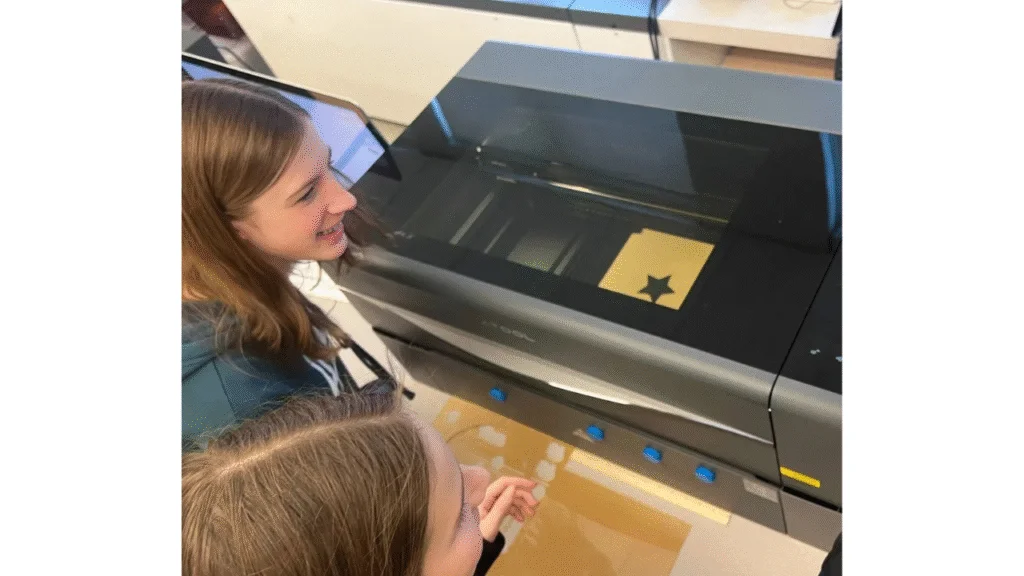
xTool Education is a comprehensive learning ecosystem built around digital fabrication and STEAM (Science, Technology, Engineering, Arts, Mathematics) education. It provides schools and educators with a suite of hardware, software, and structured learning materials to enhance creativity and problem-solving skills in students.
Through tools such as laser cutters, engravers, and vinyl cutters, students learn to design and fabricate real objects — transforming theoretical concepts into tangible results. This approach helps them understand how technology, design, and craftsmanship come together in real-world applications.
Why xTool Education Matters for Modern Classrooms
1. Connecting Theory with Practice
One of the biggest challenges in education is making abstract concepts tangible. With xTool Education, students can turn digital designs into physical models. They can visualize geometric principles, explore material science, or create artistic prototypes — all within a single project.
2. Building Future-Ready Skills
The workforce of the future demands creative thinkers and problem solvers. xTool Education equips students with essential 21st-century skills like critical thinking, collaboration, and technical literacy. By working on hands-on projects, they learn how to plan, execute, and refine their ideas — just like professional designers and engineers.
3. Supporting STEAM Learning
xTool Education fits seamlessly into a wide range of subjects. In art, students can create custom engravings. In science, they can design experimental tools. In math and engineering, they can build prototypes that demonstrate key principles. This cross-disciplinary approach fosters curiosity and teamwork across classrooms.
4. Faster and More Engaging Learning
Unlike traditional methods, laser fabrication allows projects to be completed quickly and safely. Students can design, cut, and assemble prototypes within one class session — making learning more dynamic and rewarding.

Buy xTool products using a coupon to get a discounted price (CouponPopper.com is a product of Engilover)
Core Components of the xTool Education Ecosystem
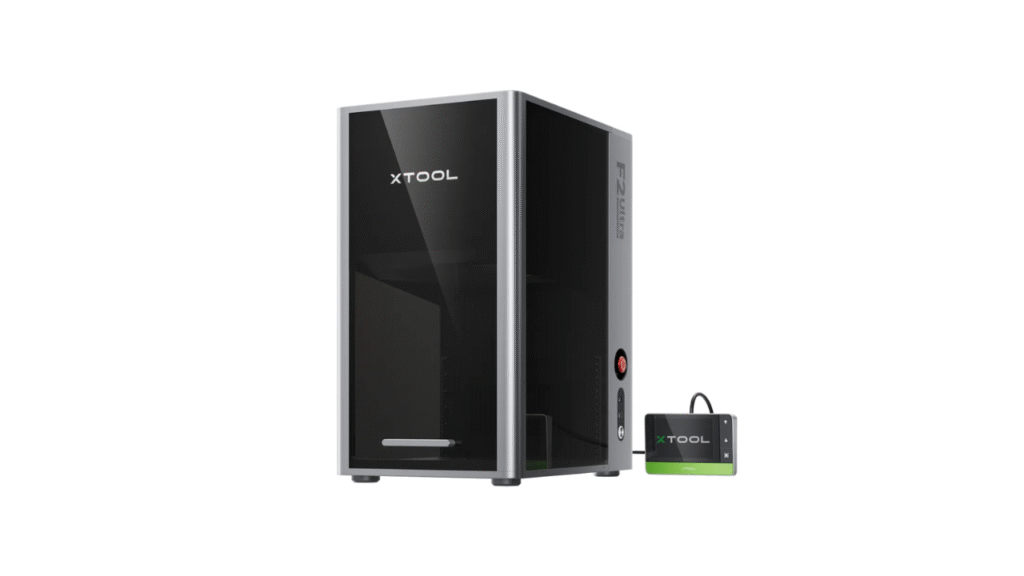
- xTool P2S 55W CO2 Laser Cutter – A powerful, classroom-ready laser cutter capable of handling wood, acrylic, and fabric. It’s ideal for advanced makerspaces or design and technology courses.
- xTool M1 Ultra 4-in-1 Craft Machine – A versatile device that combines laser engraving, cutting, vinyl cutting, and blade cutting, perfect for creative projects and art education.
- xTool M1 Smart Laser Engraver & Vinyl Cutter – Compact and user-friendly, suitable for beginners or small workshops. It helps students explore design thinking and rapid prototyping.
Alongside hardware, xTool Education offers software platforms, lesson plans, and teacher training to ensure educators can easily integrate these tools into their curriculum.
How to Implement xTool Education in Your School
Step 1: Identify Learning Goals
Start by defining what you want students to achieve. Do you want them to develop creativity, understand materials, or learn design principles? Setting clear goals helps guide your implementation plan.
Step 2: Choose the Right Equipment
Select devices based on classroom size, student age, and project type. Smaller laser engravers may suit introductory classes, while larger machines support advanced design programs.
Step 3: Integrate Across Subjects
Encourage teachers from different departments to collaborate. A single project can combine math, art, and engineering — for example, designing and fabricating geometric sculptures or personalized art pieces.
Step 4: Train Educators
Effective implementation starts with confident teachers. xTool Education provides training sessions and teaching materials so educators can manage equipment safely and guide students effectively.
Step 5: Evaluate and Improve
Collect feedback from students and teachers. Refine lesson plans and introduce new challenges to keep learning engaging and relevant.
Benefits of xTool Education
For Teachers:
- Reduces time spent on theoretical explanation by turning concepts into visual, hands-on learning.
- Enhances lesson engagement and student participation.
- Offers a structured approach to integrating technology in class.
For Students:
- Builds confidence through creative exploration and experimentation.
- Promotes teamwork, problem-solving, and innovation.
- Provides real-world skills relevant to careers in design, engineering, and manufacturing.
For Schools:
- Establishes a reputation as a forward-thinking, innovation-driven institution.
- Expands STEAM opportunities and enhances student satisfaction.
- Opens possibilities for community projects and educational partnerships.
Conclusion
xTool Education transforms classrooms into collaborative maker spaces where creativity thrives. By merging technology with hands-on learning, it empowers students to become creators rather than consumers. Teachers gain powerful tools to engage learners, and schools strengthen their STEAM programs with future-focused technology.
When implemented thoughtfully, xTool Education not only enhances academic performance but also inspires a lifelong passion for innovation and design. With the right setup, every student can experience the excitement of turning imagination into reality — one laser-cut idea at a time.
Buy xTool products using a coupon to get a discounted price (CouponPopper.com is a product of Engilover)
👉 Learn more about the product here:
https://www.xtool.com/pages/xtool-p3-the-flagship-80w-co2-laser-cutter
https://www.xtool.com/pages/diy-shopping-guide