In Summary
Laser engravers are among the most versatile tools for makers, hobbyists, and small business owners. If you’re considering a compact laser system from xTool, two models stand out: the xTool F1 and the xTool F2. Both are portable, efficient, and user-friendly, but they serve slightly different purposes and audiences.
1. Overview – What Are xTool F1 and xTool F2?
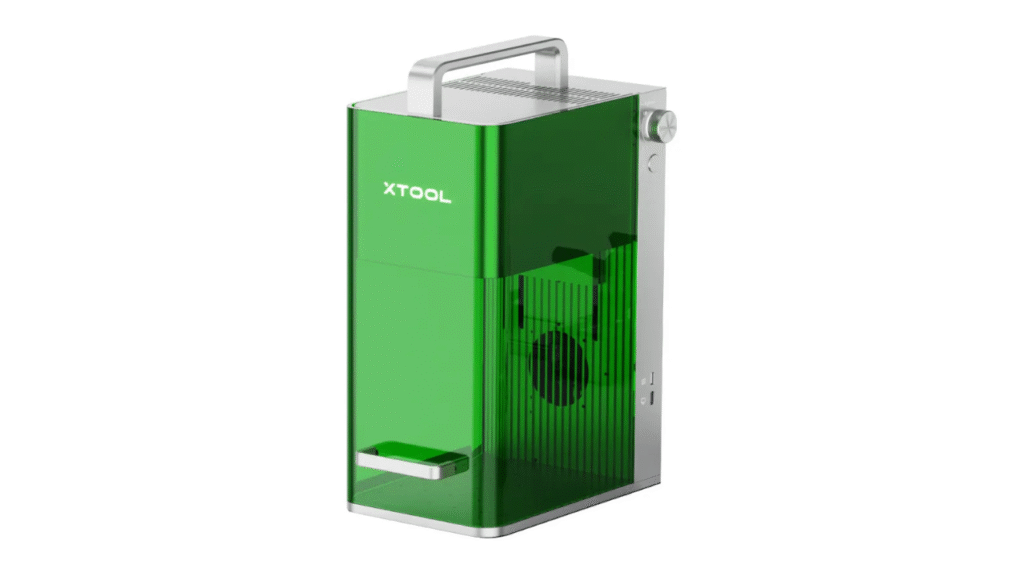
xTool F1 is a fast and portable laser engraver designed for everyday users who need a reliable machine for engraving and light cutting on a variety of materials. It’s ideal for hobbyists, creators, and workshop environments where space and portability matter.
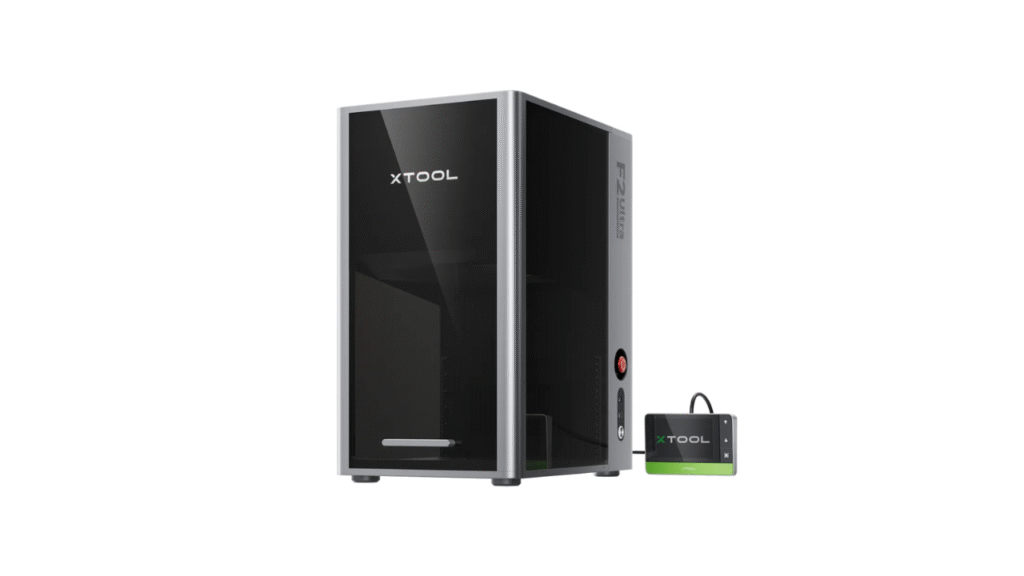
xTool F2 is a dual-laser engraver that combines two different laser sources — typically a high-power diode and an infrared (IR) laser — to expand material compatibility, especially for metal engraving. The dual system makes the F2 more versatile, particularly for users who work with both soft and hard materials.
At first glance, both models look compact and beginner-friendly, but the differences become clear once you compare performance and application suitability.
2. Laser System and Power
xTool F1 – Single Laser Focus
The xTool F1 typically features a single diode laser module. This setup offers balanced performance for engraving and some light cutting needs.
- Laser Type: Diode
- Strength: Smooth engraving on wood, acrylic, leather, and similar materials
- Limitations: Less effective on hard metals without marking paste or surface preparation
The F1’s single laser design keeps costs lower and makes it easier to maintain for beginners. However, it is primarily optimized for softer materials and engraving tasks.
xTool F2 – Dual Laser Advantage
The xTool F2 combines a visible diode laser with a 5W infrared (IR) laser, allowing it to handle a wider range of materials, including metals.
- Laser Types: IR + Diode
- Strength: Engraving on both soft materials and metals without external aids
- Utility: Better material flexibility for mixed-material projects
With dual lasers, the F2 provides enhanced engraving on harder materials that single laser engravers like the F1 struggle with. This makes it a more powerful choice for users with more demanding or varied workflows.
Verdict:
- xTool F1 is best for everyday engraving and light projects.
- xTool F2 expands material compatibility and versatility with its dual-laser system.
3. Material Compatibility
xTool F1
The F1 performs well with:
- Wood
- Acrylic
- Leather
- Paper and cardboard
- Fabric and plastics
It can handle everyday materials efficiently and produces clean, high-quality engraving and light cutting results. However, it is limited with direct metal marking without specialized preparation.
xTool F2
Thanks to its IR laser, the F2 handles:
- All materials compatible with F1
- Metals (engraving and marking)
- Harder surfaces not easily engraved by diode lasers
This broader material range makes the F2 ideal for users working with both metals and organic materials, expanding creative and business possibilities.
Verdict:
For basic engraving, F1 is sufficient. If your projects include metal engraving or mixed materials, F2 delivers more versatility.
4. Performance and Speed
xTool F1
- Recommended for engraving and light cutting
- Works well at moderate speeds
- Consistent results for hobby or DIY projects
Due to its single laser, F1 focuses on steady performance without the complexity of switching laser sources.
xTool F2
- Dual lasers may add complexity but enhance performance
- Typically faster and more capable on tougher surfaces
- Can handle a broader array of tasks without additional consumables or tools
The F2 tends to perform better overall when material demands vary, but this added capability comes with a slightly steeper learning curve.
5. Software and Ease of Use
Both the xTool F1 and xTool F2 benefit from user-friendly software that allows easy file imports, layout setup, and parameter tweaking. Beginners find both systems approachable without intensive technical knowledge.
However, because the F2 supports dual lasers, its software may offer more options for laser selection and parameter adjustment — beneficial for experienced users but potentially overwhelming for absolute beginners.
Verdict:
- xTool F1 – slightly easier for complete beginners.
- xTool F2 – more options for intermediate to advanced workflows.
6. Portability and Workspace Fit
Both models are compact and designed to fit into small workshops, studios, or creative spaces. They are more portable and space-efficient than larger CO₂ laser machines.
- xTool F1: Smaller, lighter, and simpler to transport.
- xTool F2: Slightly larger to accommodate dual lasers but still compact compared to heavier machines.
Users with limited space or who need to move the engraver frequently may prefer the smaller footprint of the F1.
7. Price and Value
When comparing price points within the same brand lineup:
- xTool F1 is generally more affordable as an entry-to-mid-level engraver.
- xTool F2 commands a higher price due to its dual-laser architecture and wider material support.
Both deliver excellent value for their respective capabilities, but the F2 offers more flexibility and future-proofing for users planning to expand their project scope over time.
8. Pros and Cons Summary
xTool F1
Pros
- Affordable and beginner-friendly
- Portable and easy to install
- Great for wood, acrylic, leather, and similar materials
- Fast engraving speeds for everyday tasks
Cons
- Limited metal engraving ability
- Not as flexible as dual-laser systems
xTool F2
Pros
- Dual lasers expand material compatibility
- Can engrave metals and harder surfaces
- More versatile for business or mixed-material projects
- Strong performance across various substrates
Cons
- Higher price tag
- Slightly more complex software controls
- Larger footprint than a single laser unit
9. Who Should Choose Which Model?
Choose xTool F1 if:
- You’re a hobbyist or beginner
- Your projects mainly involve wood, acrylic, leather, or plastics
- You value simplicity and portability
- You want a cost-effective laser engraver for everyday creative tasks
Choose xTool F2 if:
- You frequently work with multiple material types
- You want metal engraving without auxiliary methods
- You plan to expand into professional or business-level engraving
- Versatility and future-proofing matter to you
Final Verdict – Which One Wins?
Both the xTool F1 and xTool F2 are excellent laser engraving machines, but they cater to slightly different audiences:
- xTool F1 excels as an accessible, fast, and portable solution that covers most everyday engraving needs.
- xTool F2 builds on that foundation with expanded material support thanks to its dual-laser system, making it more versatile and capable for advanced users.
Your choice should depend on your intended use. If you want a solid, affordable all-purpose engraver, the xTool F1 is a great pick. If you need broader flexibility — especially for metals or advanced engraving workflows — the xTool F2 offers more long-term value.
👉 Learn more about the product here:
xTool P2 vs. OMTech Polar: Which CO₂ Laser Cutter Is Worth It?
DIY Shopping Guide