Last updated: June 3, 2026. Sourcing products is often the most critical hurdle for new online store operators, but learning How to Start Dropshipping with Zendrop allows you to integrate a structured supply chain directly into your Shopify ecosystem. This step-by-step guide is designed to take you from initial account linkage to your first processed order with minimal risk.
In Summary
Learning How to Start Dropshipping with Zendrop is highly effective when you follow a structured sequence: integrate your store, filter vetted suppliers, customize product markup, test logistics, and manage billing cycles. This systematic approach ensures repeatable order fulfillment and margin protection.
Why Zendrop Appeals to Modern Dropshippers
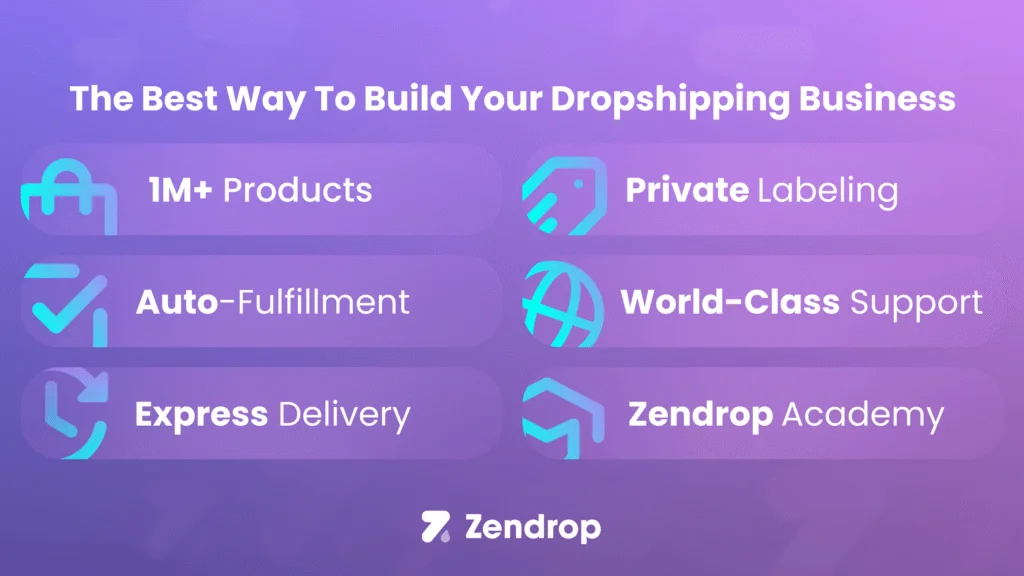
Zendrop has become a primary sourcing choice by addressing the main pain points of traditional dropshipping: shipping delays, poor package customization, and unreliable supplier communications. Unlike raw marketplace scraping, Zendrop functions as an intermediary that audits suppliers and coordinates logistics. For beginners, this structural buffer reduces the operational complexity of managing overseas manufacturers and helps build a sustainable brand from day one.
Step 1: Setting Up Your Shopify Store Integration
Before launching your sourcing workflow, you need an active Shopify storefront. Ensure your store's basic setup—including checkout rules, currency, and local shipping rates—is configured. Having a clean template helps prevent catalog synchronization errors during the import phase. Once your storefront is ready, navigate to the Shopify App Store to prepare for the integration step.
Step 2: Connecting Zendrop to Shopify
Search for the Zendrop app in the Shopify App Store and click add. You will be redirected to the Zendrop platform to create an account or log in. Once connected, your catalog and order data sync automatically. This integration is crucial because it allows Zendrop to automatically pull customer details and pass tracking numbers back to Shopify. Verify that the connection is active in both your Shopify apps directory and your Zendrop dashboard settings before continuing.
Step 3: Sourcing and Selecting Products
Navigate to the find products tab inside Zendrop. You can search by keyword, category, or filter by ship from locations. If you target US consumers, prioritizing US suppliers can significantly reduce transit times. Inspect each product listing for supplier ratings, cost of goods, and estimated shipping times. Selecting products with consistent stock levels and stable shipping rates is essential to protect your margin.
Step 4: Customizing Product Details and Pricing
After finding a product, click add to import list. Do not push it directly to your store. Go to your import list and customize the titles, descriptions, and images. Standardize the description to match your brand voice and remove any generic manufacturer text. Set your pricing rules to ensure a healthy gross margin of at least 30-40% after accounting for shipping costs and transaction fees. Once optimized, click import to store to publish the product.
Step 5: Fulfilling Orders and Managing Logistics
When a customer purchases a product, the order syncs to your Zendrop dashboard under the orders tab. If you use the manual workflow, you must review the order and click fulfill to pay the wholesale cost. If you upgrade to an automated plan, the fulfillment process runs in the background. Zendrop will source the item, package it, and ship it to the customer. The tracking details sync back to Shopify automatically, notifying your customer without manual work.
Understanding Zendrop Pricing and Plan Tiers
Zendrop offers a free tier that allows product importing and manual order processing, which is excellent for early testing. However, to access automated fulfillment, custom packaging, and express shipping options, you will need to evaluate their paid plans. Before subscribing to annual options, run a 30-day validation test on the monthly plan. If you are looking for discount options, review our guide on Zendrop Promo Code 2026 to check active trial structures.
Best Practices for Zendrop Order Execution
To run a stable business, establish a weekly check of your inventory levels and shipping delays. Never assume stock is unlimited; suppliers can run out of raw materials. Additionally, order sample products to your own address to verify shipping speed, packaging quality, and product functionality. Experiencing the customer journey firsthand helps you build better support workflows and handle questions with confidence.
Common Mistakes Beginners Make and How to Avoid Them
A frequent mistake when learning How to Start Dropshipping with Zendrop is importing too many products. Focus on a narrow niche of 5 to 10 high-quality products first. Another mistake is ignoring the shipping cost when calculating pricing. Always add the shipping rate to the wholesale product cost before applying your retail markup. Finally, make sure to read our detailed comparison on Zendrop vs Spocket comparison to understand how different catalog structures align with your business goals.
Internal Resources and Sourcing Guides
If you want to compare other tool setups, check the best dropshipping platforms guide. For specific platform coupon details, check out the Spocket Coupon Code 2026 guide. Additionally, you can visit the homepage Engilover main page for our latest e-commerce strategies.
CTA 1: Find Active Sourcing Discounts
Ready to start? Validate active Zendrop offers before starting your store integration.
CTA 2: Compare Dropshipping Deal Hub
Compare coupons across multiple platforms on CouponPopper to find the lowest entry cost.
FAQ
Is Zendrop free for Shopify store owners?
Yes, Zendrop offers a free plan that supports basic product importing and manual order processing, making it suitable for testing.
How long does shipping take with Zendrop?
Shipping times range from 5 to 15 days depending on the supplier location, destination country, and whether you choose express shipping options.
Does Zendrop support automated order fulfillment?
Yes, automated fulfillment is available on their Pro and Plus plans, allowing orders to process without manual intervention.
Can I customize the packaging on Zendrop?
Yes, custom packaging, thank you cards, and custom inserts are supported on paid plans to help you build a professional brand.
Final Takeaway
How to Start Dropshipping with Zendrop is a process-oriented task, not a get-rich-quick scheme. Focus on product quality, shipping speed, and margin discipline to build a successful store.