In Summary
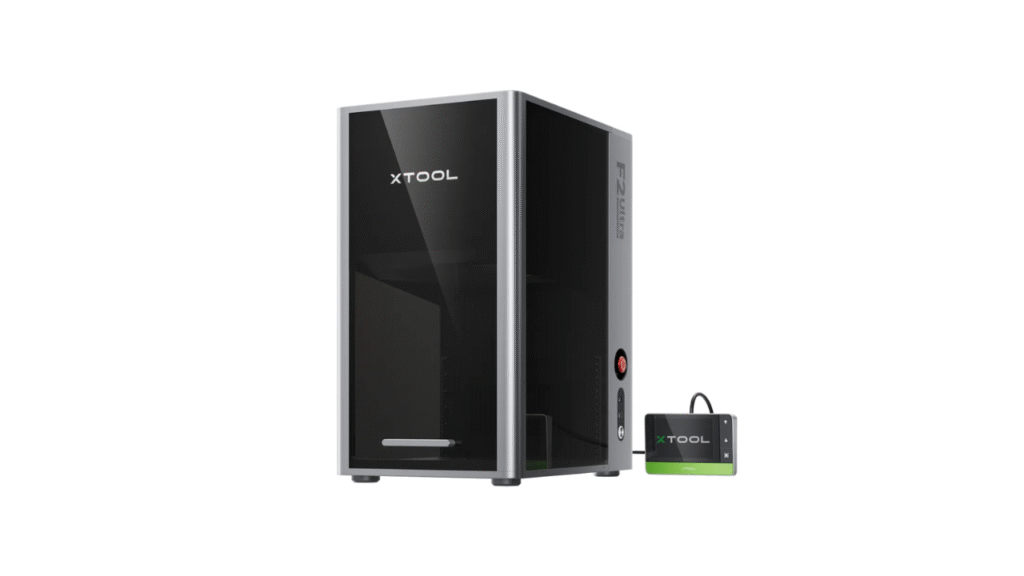
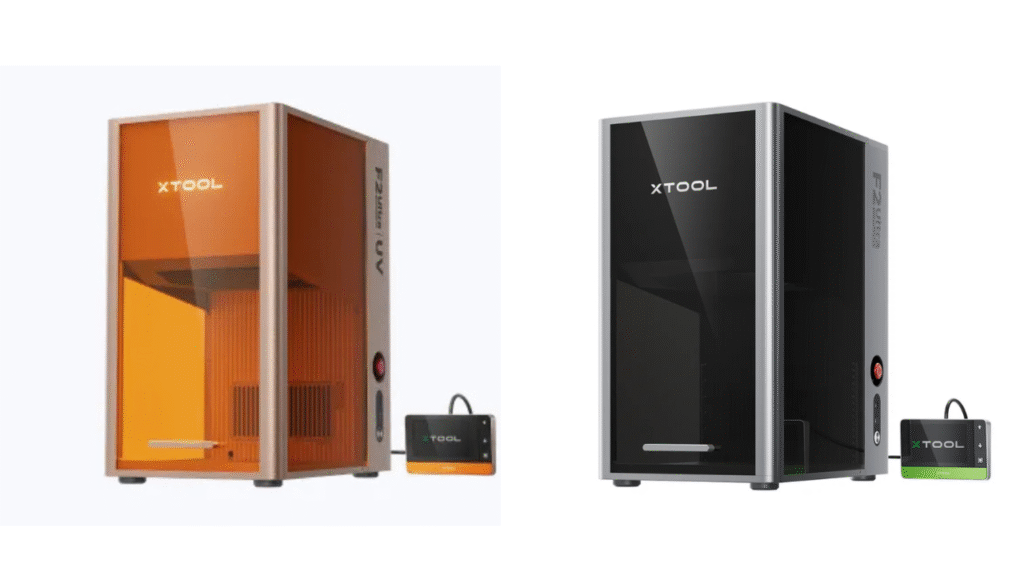
When it comes to high-precision laser engraving, the xTool F2 Ultra lineup stands out with two powerful variants: the UV 5W model and the 60W MOPA + 40W diode dual laser model. Both machines deliver excellent performance, but they suit different use cases, materials, and user needs. In this comparison review, we’ll break down the key differences, strengths, limitations, and ideal scenarios for each model — helping you decide which xTool F2 Ultra is right for your projects.
Overview — The Two Faces of xTool F2 Ultra
xTool F2 Ultra UV 5W Laser Engraver
This version of xTool F2 Ultra uses a 5W ultraviolet (UV) laser, which enables ultra-fine engraving on materials that other lasers struggle with. UV lasers operate at a very short wavelength, allowing them to interact with surfaces at a micro-level without inducing significant heat — ideal for heat-sensitive materials.
xTool F2 Ultra 60W MOPA + 40W Diode Dual Laser Engraver
This more advanced version combines two laser technologies:
- A 60W MOPA laser for high-precision metal marking and advanced engraving
- A 40W diode laser for organic materials like wood, acrylic, leather, and plastic
By integrating both lasers, this dual model offers extraordinary flexibility and power for diverse applications.
Laser Technology — UV vs MOPA + Diode
UV Laser Advantages
The UV 5W model focuses on:
- Extremely fine engraving detail
- Minimal heat-affected zones
- Precision results on hard-to-engrave materials
Best for:
- Glass and crystal
- Ceramics and stone
- Plastics with UV-sensitive coatings
- Heat-sensitive engraving
UV lasers interact with surface molecules rather than burning the material, allowing crisp, non-thermal micro-engraving that’s difficult for other lasers to match.
MOPA + Diode Laser Advantages
The dual-laser model brings together:
- 60W MOPA: Excellent for controlled pulse shaping, precision metal marking, and high-contrast engraving
- 40W Diode: Versatile for common materials like wood and acrylic
Best for:
- Metal spotlight engraving
- Mixed material workflows
- Projects requiring speed and power
- Industrial marking
MOPA lasers excel at detailed, repeatable work on metals and coated surfaces, while diode lasers handle broader tasks with efficiency.
Material Compatibility — Broad vs Ultra-Precise
xTool F2 Ultra UV 5W
This model shines on:
- Harder, heat-sensitive materials
- Surfaces that require fine, crisp detail
Examples: - Glasses and bottles
- Ceramics
- Gemstones
- UV-reactive plastics
Limitation:
While excellent on delicate materials, its lower power is not designed for heavy cutting or deep engraving on extremely hard metals.
xTool F2 Ultra 60W MOPA + 40W Diode
The dual system opens a wider door:
- Metals (especially with coatings)
- Wood
- Acrylic
- Leather and textiles
- Composites and industrial parts
Versatility:
This version is ideal for users handling a mix of materials with varying engraving requirements — from detailed metal marking to creative wooden designs.
Performance & Precision — Finesse vs Power
UV 5W Model
- Ultra-fine engraving
- Minimal scorch or heat damage
- Excellent for branding and micro-details
- Lower raw power, focuses on quality rather than depth
MOPA + Diode Model
- Stronger engraving capability
- Faster speeds on many materials
- Excellent for batch work and production
- Adjustable pulse and power for different effects
Verdict:
- xTool F2 Ultra (UV) excels in delicate precision.
- xTool F2 Ultra (MOPA + Diode) excels in versatility and power.
Software & Workflow
Both versions of xTool F2 Ultra offer intuitive software that supports:
- Import of various design formats (SVG, PNG, JPG, etc.)
- On-screen preview and alignment
- Power and speed adjustment
- Advanced layering and batch control
The overall workflow remains consistent; the main difference is how each laser responds to materials and power settings.
Safety & Build Quality
Safety is built into both models:
- Enclosed laser paths reduce stray exposure
- Emergency stop & interlock features
- Stable, vibration-resistant frames
- Clear cover visibility
Build quality is high on both, geared toward long-term use in studios, workshops, and small business environments.
Pros and Cons Summary
xTool F2 Ultra (UV 5W)
Pros
- Exceptional engraving precision
- Minimal heat-affected zone
- Ideal for delicate or heat-sensitive materials
- Clean, crisp marks
Cons
- Lower overall power
- Not suitable for deep cutting or high-output metal engraving
- Limited to fine detail tasks
xTool F2 Ultra (60W MOPA + 40W Diode)
Pros
- High power and material flexibility
- Strong performance on metals and organics
- Fast processing speeds
- Great for mixed material projects
Cons
- Larger price tag
- Requires more careful parameter tuning
- Slightly steeper learning curve for beginners
Who Should Choose Which Version?
Choose xTool F2 Ultra (UV 5W) If:
- Your focus is precision and detail over cutting power
- You work with glass, ceramics, or heat-sensitive materials
- Your projects require micro-engraving quality
Choose xTool F2 Ultra (60W MOPA + 40W Diode) If:
- You need power AND versatility
- You handle a mix of metals, wood, acrylic, leather, and composites
- You’re running a shop or production that demands speed and flexibility
Real-World Use Cases
UV 5W Version
- Personalized glassware engraving
- Fine art on ceramics and stone
- Micro signaling on coated parts
MOPA + Diode Version
- Custom metal branding
- Multi-material signage
- Craft products with mixed materials
- Industrial part marking
Final Verdict — Which xTool F2 Ultra Is Right for You?
The xTool F2 Ultra lineup offers two powerful laser options catering to distinct needs:
- The UV 5W model is laser engraving’s answer to micro-precision — perfect for artisans and creators focused on subtle, flawless detail.
- The 60W MOPA + 40W diode model is the all-around workhorse — perfect for businesses and makers who need speed, power, and material versatility in one machine.
Ultimately, both versions elevate creative potential beyond typical diode lasers. Your choice depends on whether your priority is precision and delicate materials or versatility and output performance.
👉 Learn more about the product here:
xTool P2 vs. OMTech Polar: Which CO₂ Laser Cutter Is Worth It?
DIY Shopping Guide