In Summary
When it comes to precision crafting with paper, vinyl, or foil and using the M1 Ultra, the accessory you never knew you needed becomes indispensable: the Electrostatic Mat from xTool. This tool takes your crafting game up several notches by offering a clean, stable, and damage-free surface—no adhesives, no curling, no mess.
Buy xTool products using a coupon to get a discounted price (CouponPopper.com is a product of Engilover)
What Is the Electrostatic Mat (M1 Ultra)?
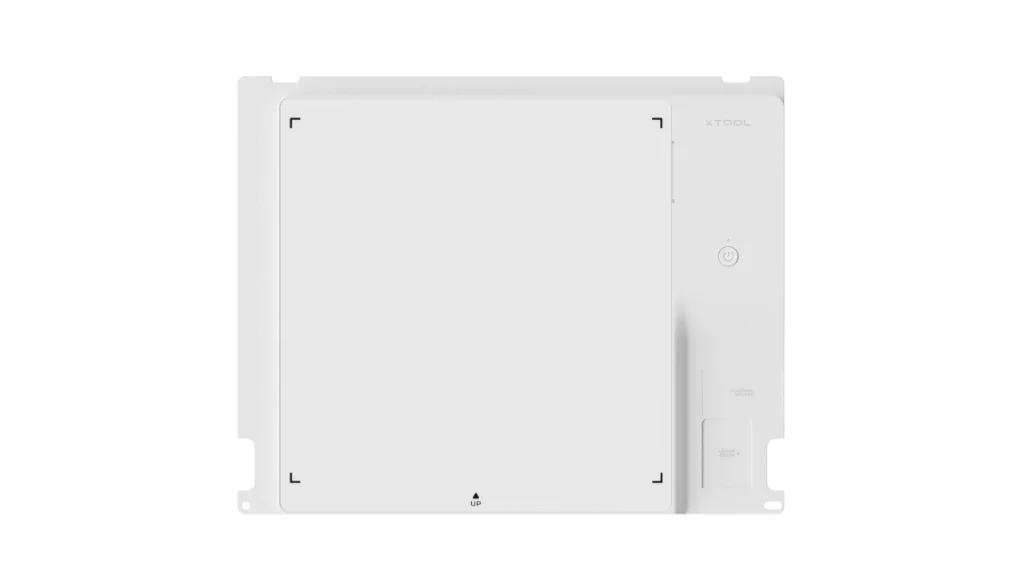
The Electrostatic Mat is an accessory developed specifically for the xTool M1 Ultra. Instead of relying on sticky adhesive mats that lose grip over time or leave residue, this mat uses static electricity to hold materials firmly in place during cutting, printing, drawing, or foil transfer. It includes a protection sheet, a cable to connect into the M1 Ultra, and full compatibility with xTool Creative Space (XCS).
Key Features & Advantages
Here are the standout benefits of using the xTool Electrostatic Mat:
| Feature | Benefit |
|---|---|
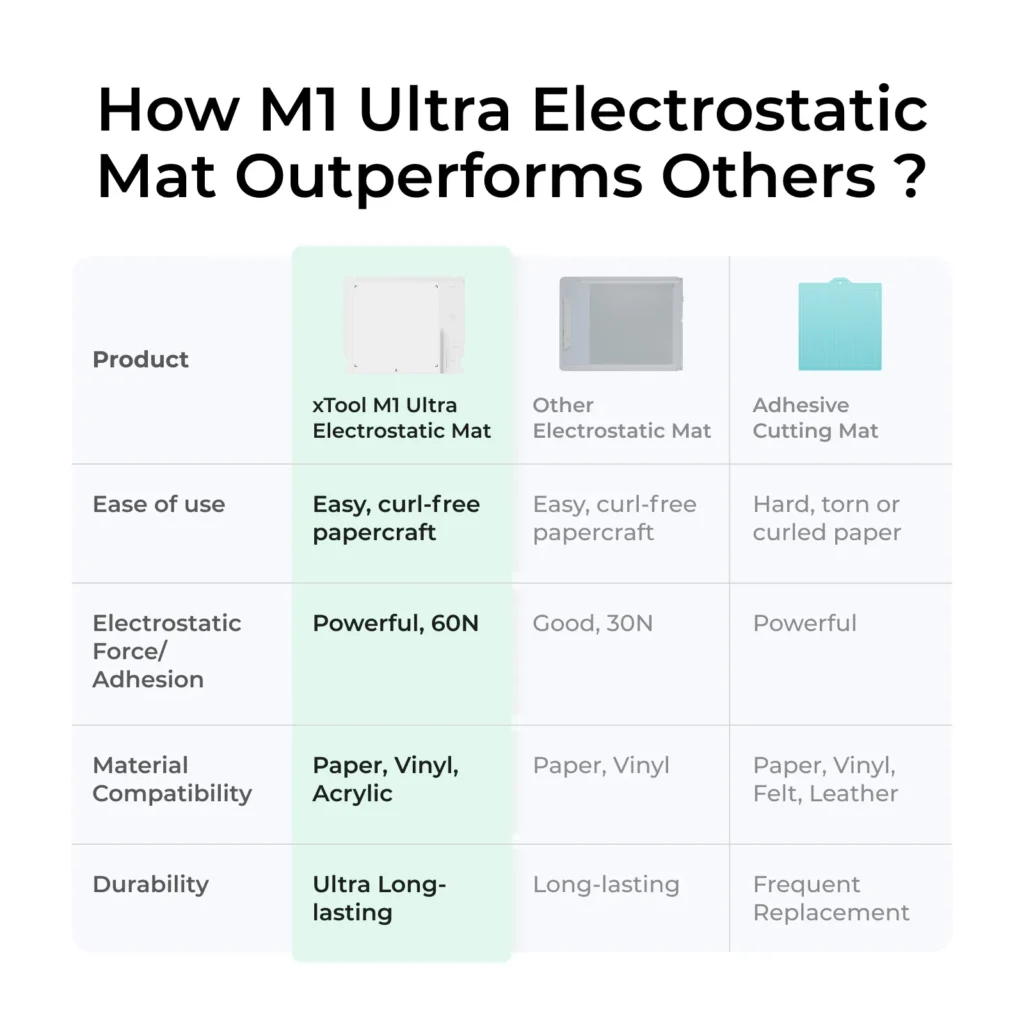
| Curl-free & Tear-free Papercraft | Materials such as paper, cardstock, vinyl, and even acrylic with protective layers stay flat. No more edges curling or tearing when lifting off adhesive mats. |
| Cleaner Surface, Easier Cleanup | Since there’s no sticky adhesive, there’s no leftover tackiness. The protection sheet only needs occasional cleaning or replacing. |
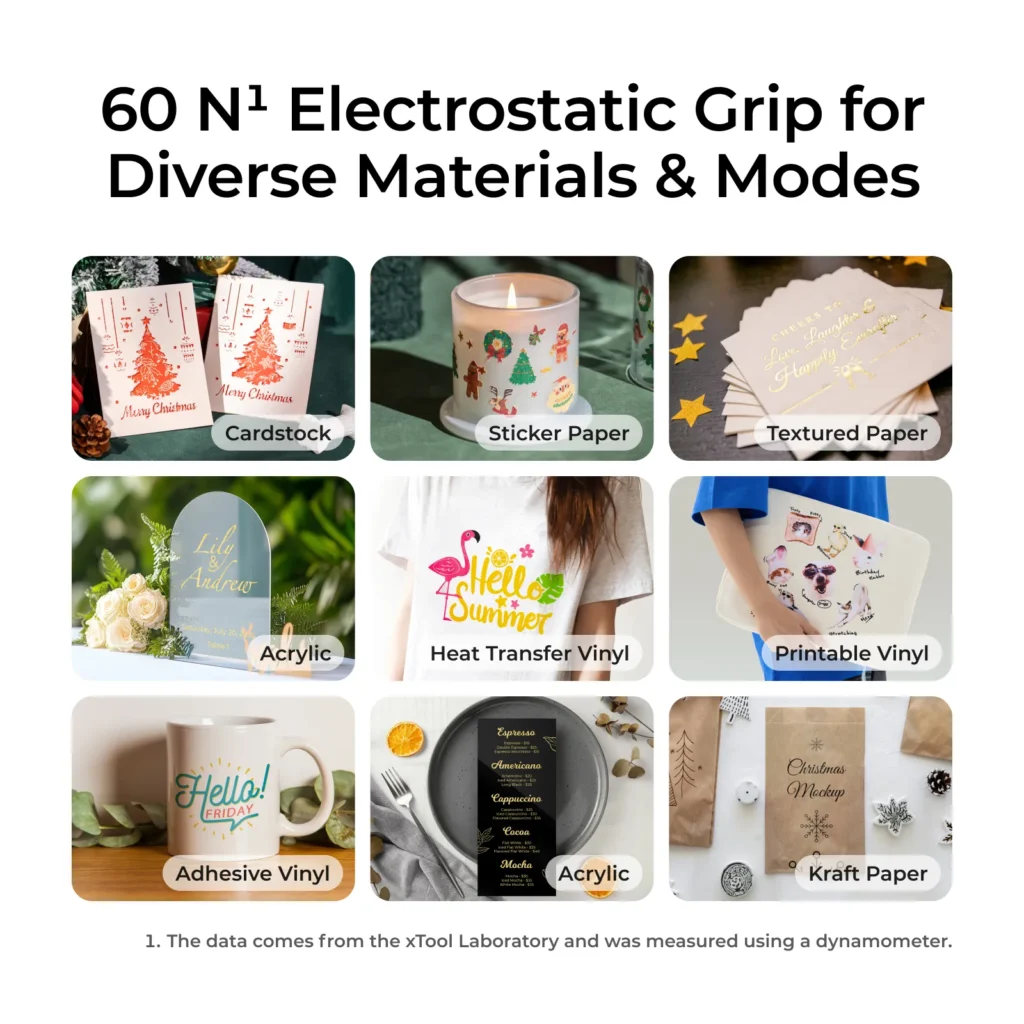
| Strong Holding Force (≈ 60 N) | The static pull holds materials firmly enough for precision work, minimizing shifting during blade cutting or foil transfer. |
| Multiple Material Compatibility | Works well with paper up to 300 gsm, various vinyls (heat or adhesive), printable materials, and foil transfer sheets. Acrylic with protective paper is also supported. |
| Lower Replacement and Maintenance Costs | Only the protection sheet wears out, not the full board. No sticky adhesive mats to replace. |
How to Use the Electrostatic Mat with M1 Ultra
Using the Electrostatic Mat correctly maximizes its benefits. Here’s the proper setup and operation process:
- Installation
- Remove or unscrew the baseplate from the M1 Ultra.
- Place the mat with the cable aligned and the xTool logo facing up.
- Secure the protection sheet on top of the Electrostatic Mat.
- Connecting to xTool Creative Space (XCS)
- Plug in the mat’s cable into the designated port.
- Verify software recognizes the accessory.
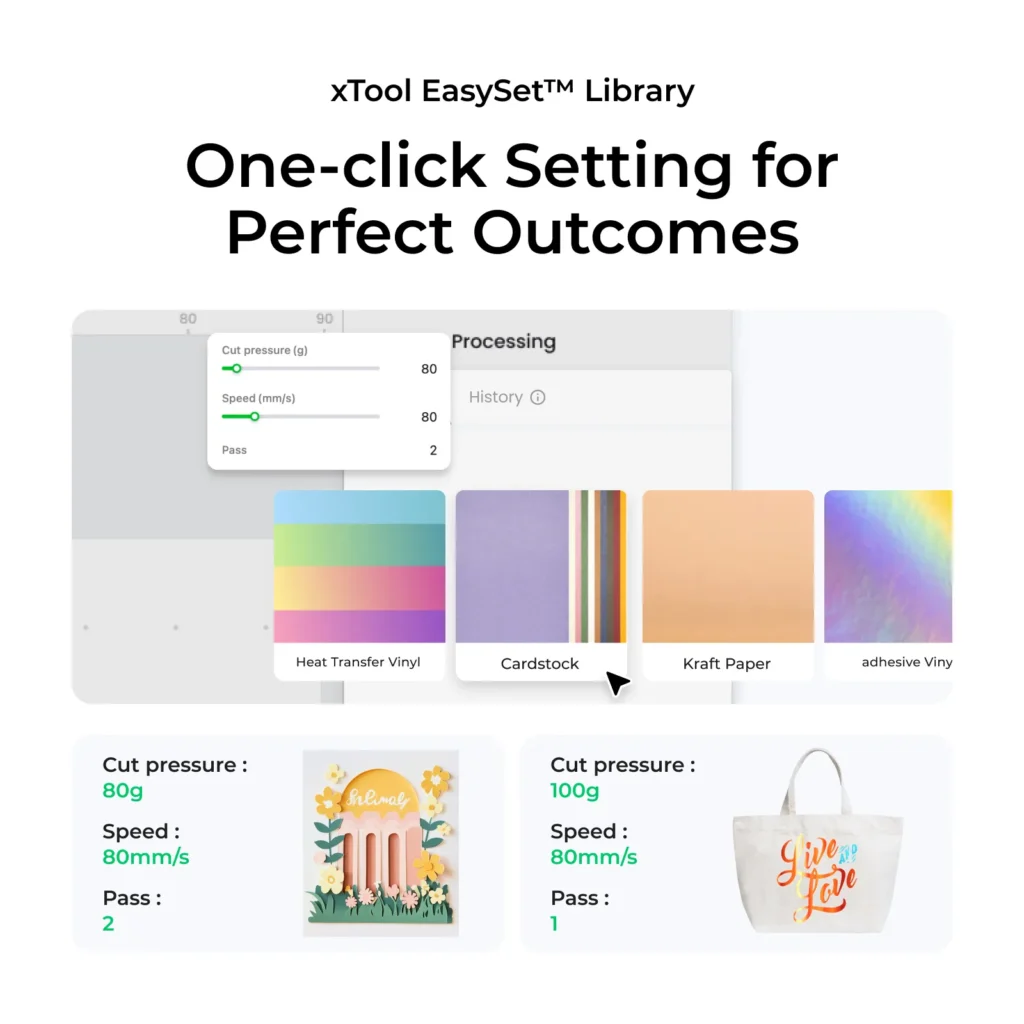
- Calibrate the mat using the XCS interface for Material, Blade Pressure, or Mode.
- Operating Modes Supported
- Blade cutting, foil transfer, hot foil pen, pen drawing, inkjet printing, etc.
- Not compatible with laser mode—must remove mat before any laser-based tasks.
- After Use & Maintenance
- Power off, disconnect cable, remove protection sheet.
- Clean protection sheet gently if dirty, avoid harsh scrubbing.
- Replace protection sheet when worn.
BBuy xTool products using a coupon to get a discounted price (CouponPopper.com is a product of Engilover)
Who Will Benefit Most
The xTool Electrostatic Mat is particularly great for:
- Hobbyists and papercraft artists who want clean, shapely cuts without adhesive residue.
- Sticker makers and vinyl crafters who need precise, repeatable results.
- Foil artists & invitation designers dealing with delicate foil transfers.
- Anyone using the xTool M1 Ultra for multi-mode crafting (blade, pen, printing), and wants to reduce material waste and maintenance.
Limitations & Considerations
Like any tool, the Electrostatic Mat has its boundaries:
- It doesn’t work well for fabric or leather due to texture and thickness.
- Very thick material (>300 gsm paper, or very rigid / textured acrylics) may not hold as effectively.
- Very small projects with curled edges may need extra securing before static adhesion works properly.
- Must be removed for laser operations to prevent damage.
Real User Feedback & Value
Users say the Electrostatic Mat for M1 Ultra changes how crafting feels: less frustration removing sticky mats, less curling, fewer mistakes from shifting material. It’s praised especially among sticker makers and paper artists. Also, people note it’s more eco-friendly since you’re not replacing full adhesive mats often.
Final Thoughts
The xTool Electrostatic Mat is a smart upgrade for anyone using the M1 Ultra and wanting cleaner, more efficient crafting. It delivers strong holding power, reduced mess, and much less material waste. For paper, vinyl, foil, and similar materials, this mat makes the process smoother. If you want your cut/print projects to look professional without the hassle of sticky mats, curling, or cleanup, this is one of xTool’s best accessories.
🛒 Learn more and order now at the official product page
Buy xTool products using a coupon to get a discounted price (CouponPopper.com is a product of Engilover)
3D Printer Companion: xTool S1 Laser Cutter & Engraver Kit
👉 Discover the future of apparel printing — Learn more and order now https://www.xtool.com/