Last updated: June 12, 2026. Running a laser business requires a reliable production machine, but encountering occasional hardware and software roadblocks is inevitable. This guide details the most common xTool Problems and provides real, actionable troubleshooting steps to keep your workspace online and prevent wasted materials.
In Summary
Resolving xTool Problems is highly effective when you follow a logical diagnostic sequence: isolate connection issues by switching from Wi-Fi to a USB cable, maintain clean laser optics, calibrate drive belt tension regularly, and check limit switch wiring. This preventative approach keeps your engraving precision high and reduces downtime.

Why Hardware Diagnostics Matter for Laser Operators
In high-volume e-commerce workshops, any machine failure leads directly to delayed shipments and lost revenue. Instead of waiting days for manufacturer email replies, mastering basic technical diagnostics allows you to resolve standard issues immediately. Understanding the mechanical, electronic, and software systems of your engraver helps you identify faults early before they cause permanent damage to your laser tube or electronics.
Wi-Fi Connection Dropping Mid-Job
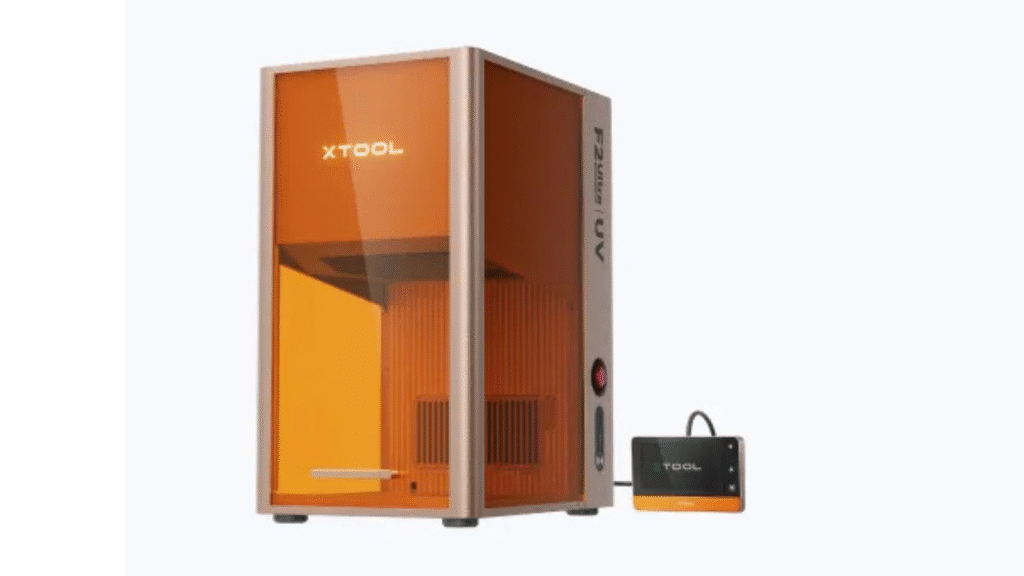
One of the most frequent network issues occurs when the engraver abruptly loses connection during a job, freezing the laser head and ruining the material. This typically happens because of Wi-Fi band switching on dual-band routers. To resolve this, create a dedicated 2.4GHz network name exclusively for your laser cutter. If you need a machine with faster built-in controls, read our review on the xTool F2 Ultra Review to compare hardware connections.
Laser Module Not Firing or Weak Engraving Power
A sudden drop in laser intensity is usually caused by a dirty protective lens rather than a dead diode. Dust, smoke, and sticky wood resins coat the optics, blocking the laser beam from reaching the material. Clean the focal lens with 90% isopropyl alcohol and a microfiber swab after every 10 hours of active cutting. Additionally, make sure you reference the correct power settings in our xTool Materials Guide to avoid over-powering the module.
Timing Belt Tensioning and Axis Alignment Offsets
If your engravings look stretched, misaligned, or circles appear as ovals, your timing belts are likely loose. Stepper motors rely on belt tension to move the laser head accurately. Loosen the tension adjustment screws, pull the drive belts until they are firm with no slack, and tighten the lock screws. Tightening your belts ensures that your designs remain clean and precise, preventing wasted blanks in your workshop.
Software Connection Failure: XCS or LightBurn
When xTool Creative Space or Lightburn fails to recognize your machine over USB, the issue is often a bad cable or port conflict. Disconnect the USB cable, restart the software, and try a different USB port directly on your computer instead of a hub. For high-volume production, we always recommend a high-quality USB cable over Wi-Fi, which you can read about in our xTool Creative Space vs Lightburn workflow comparison.
Material Charring and Edge Burning Controls
Excessive edge burning and soot buildup on wood cuts are caused by weak air assist pressure or incorrect speed settings. Always use an active air assist pump to blow away smoke from the cutting point. If edges still burn, increase your cutting speed and run multiple passes at lower power levels. Using a honeycomb cutting bed also helps by letting smoke escape from underneath the material.
RA2 Pro Rotary Attachment Slipping and Calibration
When engraving tumblers or glassware, slipping on the rollers can cause the design to stretch. This occurs due to a lack of friction against the metal rotary wheels. To fix this, place heavy rubber bands around the tumbler where it rests on the rollers, or add grip tape to the roller surfaces. Additionally, verify that the object diameter is measured correctly and input down to the millimeter in your software settings.
P2 and M1 Auto-Focus Sensor Failures
If the auto-focus plunger fails to measure material thickness accurately, the laser will cut out of focus. This is usually caused by sticky wood resin building up on the focus plunger or sensor lens. Clean the sensor components gently with isopropyl alcohol and make sure your material is completely flat using honeycomb pins. Warped wood will always confuse automatic distance sensors.
Homing Rail Obstructions and Limit Switch Grinding
A loud grinding noise during homing occurs when the laser head tries to push past the frame because the limit switch failed to trigger. This happens when dust blocks the physical switch or a wire becomes loose. Power down the machine immediately, clean the limit switches, and verify the connections. Regular rail cleaning and lubrication with light machine oil will keep axis movements smooth.
Internal Sourcing and Material Resources
To optimize your hardware purchase budget for replacement modules, view our xTool Promo Codes 2026 post. For general updates, visit our homepage Engilover main page.

CTA 1: Find Active xTool Deals
Need to replace a module or upgrade your laser setup? Check active deals before buying.
CTA 2: Compare Hardware Discount Codes
Find active promotions, materials coupons, and verified discount codes on CouponPopper.
FAQ
Why is my xTool laser not engraving?
Check if the focal lens is clean, verify your power settings, and ensure the laser module is plugged securely into the control board.
How do I fix a grinding noise during start up?
Clean and check the limit switches on the X and Y axes to ensure they are connected and trigger when the laser head reaches the homing point.
How often should I tension myTiming belts?
Check belt tension every 40 to 50 operating hours. Tighten them if you notice engraving alignment offsets or oval shapes.
Why does my laser keep disconnecting?
This is usually a Wi-Fi band conflict. Try creating a dedicated 2.4GHz network or switch to a direct USB connection for stable operation.
Final Takeaway
Most common xTool Problems can be resolved with simple maintenance. Keep your optics clean, check belt tension regularly, and use a wired connection to ensure a stable and productive workshop.